

Research Competitor Performance
AI search is still relatively new, which means we’re still learning what works best and what doesn’t. By starting with some research, you can discover who in your industry is showing up, and you can delve into why.
Start by considering the types of questions your customers might ask that are relevant to your business (some initial keyword research may help here). Put those questions into a chatbot and see which of your competitors are cited.
Click through to any links to see what they have in common – do the product pages all have video, do they have a comprehensive about page, do they include FAQ sections? Similarities provide clues as to why the chatbot chose those particular sites, and you can use this information to improve your own store.
Create Content for the Whole User Journey

Chatbots are used throughout the sales funnel. If you understand what that sales funnel looks like for your customers, you can build relevant content into your site. A chatbot may highlight your site at any stage, and providing content that speaks to your customers at any point of the customer journey puts you in with a chance of a mention.
Here’s an example of some of the content that could help your visibility at various stages of a sales funnel:
Awareness: A comprehensive About page that describes your niche, values and USP. What makes you different from your competitors.
- Evaluation: Detailed product pages that anticipate and address all user questions and pain points. Guides on how to use products.
- Intent: Testimonials and real-life user experiences. Highlight special offers and deals such as free postage or BOGOF offers.
- Purchase: A clear and frictionless sales process that tells the customer what they can expect now that they’ve made a purchase, such as expected delivery time.
Implement Schema Markup
Schema Markup is some of the “behind-the-scenes” code on a website that summarises the most important details of a page or business. It can include the basics such as contact information and a one-liner company description, as well as specific e-commerce information like product categories and reviews.
Good Schema Markup can help chatbots to extract the most important information from your pages and then present it to the user in a way that’s easy to understand and specific to their needs.
You may need a developer to implement proper Schema, though you can use tools such as Yoast to add the basics if your website is built on WordPress.
Supercharge Your Product Feed
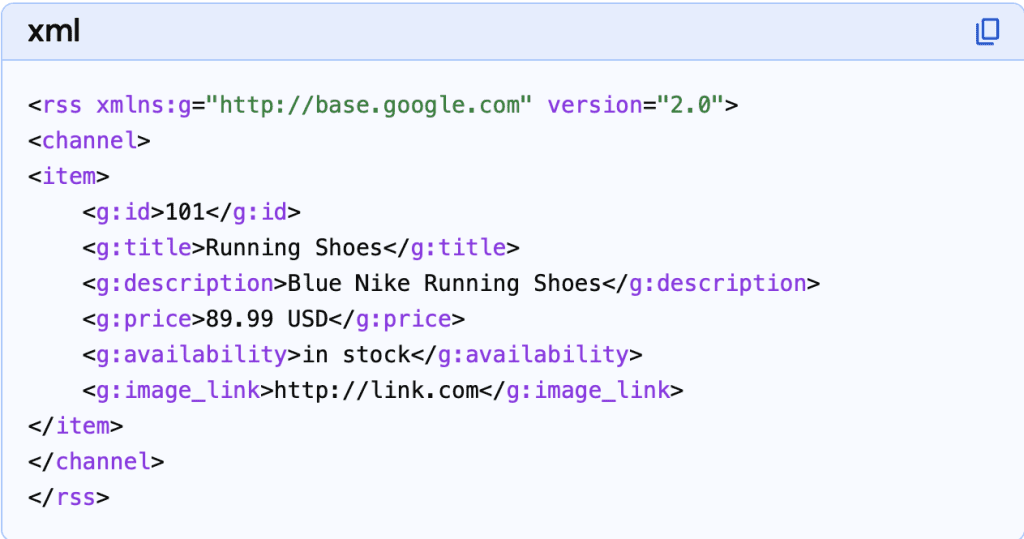
A product feed is a file (XML, CSV, or TXT) containing a structured list of products and their attributes, such as ID, title, description, price, and image link, used to share product data with marketing channels like Google Shopping and Social Commerce.
Your product feed is central to your e-commerce website, so if you only do half a job on it, you’re potentially losing out chatbot visibility and both paid and organic product sales.
As a busy business owner, it can be all too easy to just quickly get a product up and then move onto the next thing. To ensure high performance a product feed should contain all of the below:
- ID: Unique identifier for the product (SKU).
- Title: Descriptive name (Brand + Product + Color).
- Description: Detailed information highlighting features.
- Price: Accurate, up-to-date pricing.
- Image Link: Direct URL to the product image.
- Availability: Stock status (e.g.,
in_stock,out_of_stock). - Link: The URL to your website’s product page
Import Feed to Google Shopping and Microsoft Shopping
Google Shopping and Microsoft Shopping are similar platforms from two different companies that allow you to display your products in search results and/or boost their visibility with paid advertising.
These platforms are free to set up and use (unless you opt for paid advertising), and doing so will bring you ahead of the game as users start seeing more adverts in chatbots. To get started, visit Google Merchant Centre or Microsoft Merchant Centre and follow the set-up instructions.
If you use an established e-commerce platform such as Shopify you should be able to fairly easily integrate it with Google or Microsoft and allow automatic product updates.
Ensuring your product feed is fully optimised and submitted to Google Merchant Centre not only gives you a boost now, it will help you future-proof and be ahead of the game ready for chatbot developments such as agentic shopping (shopping within the chatbot) and chatbot advertising. (Note: These platforms will require a slightly different feed, however the principles are the same.)
Use A Proper E-Commerce Platform
A proper e-commerce platform such as Shopify or WooCommerce will make it much easier to run your shop. These platforms are already set up to work well from an SEO perspective, so you’re already ahead of the game when it comes to AI-powered search.
As of 2026, Shopify has introduced Agentic Storefronts in the US, a feature that allows merchants to feed structured product data directly to AI platforms like ChatGPT, Microsoft Copilot, and Gemini. This is due to be rolled out in the UK soon so using a well-established e-commerce platform is likely to make integration much easier.
Fill Out Your On-Site Product Listings
The very basics of a product listing are the item name and a price. But those on their own are unlikely to encourage a user – especially a brand new customer – to purchase. Think about including images, video, a product summary, in-depth technical details, reviews, delivery information and FAQs. The advantages of providing all this additional information include:
- Reduce friction and save time by answering user questions on the page instead of forcing them to get in touch (or navigating away to a competitor).
- Provide more context to chatbots so they can direct users based on hyper-personalised targeting.
- Build trust.
- Help the user fully understand what they’re getting.
Use Categories For Structure and Context
Categories divide your products into related groups, which in turn helps users find their way around your store more easily and helps chatbots understand context.
The number of products you typically sell will determine how many categories you need. For example, a small store may only need two or three broad categories, whereas a large site with hundreds of products will benefit from more granular categorisation.
Like the product details above, effective categorisation will help your products show up in chatbot conversations because the chatbots will better understand what you’re selling and how that relates to the user query.
Make Sure Chatbots Can Crawl Your Website
“Crawling” is what chatbots (and other search systems) do when they navigate through your site to understand the content and structure. There is a file called robots.txt that restricts crawling. But, if you prevent chatbots from crawling your site, they won’t show your content in their answers.
Again, this is a job that may need the support of a developer, because editing the file without knowing what you’re doing can cause severe issues on your website. Some sites will allow you to toggle crawling on or off via a simple setting. Check the Help Centre for your website platform to see what you need to do.
Improve Multi-Channel Visibility
Multi-channel visibility helps boost your reputation, increase trust, and get you cited in chatbot conversations. Some ways to do this include:
- Maintaining an active social media presence across multiple platforms.
- Engaging in an authentic and helpful way on platforms such as Reddit and Quora.
Engaging press attention through interesting press releases and interviews in industry magazines. - Developing relevant, unique and engaging content that’s citable by other businesses.
- Listing on well-established and relevant business directories.
Alternatively, you can have your customer do some of the work for you by engaging them effectively so that they write reviews and talk about you on social media.
This broad approach to web visibility means that AI chatbots – which try to provide balanced views from multiple sources – have lots of places to look for information about your business.
Encourage More Reviews and Real-User Experiences
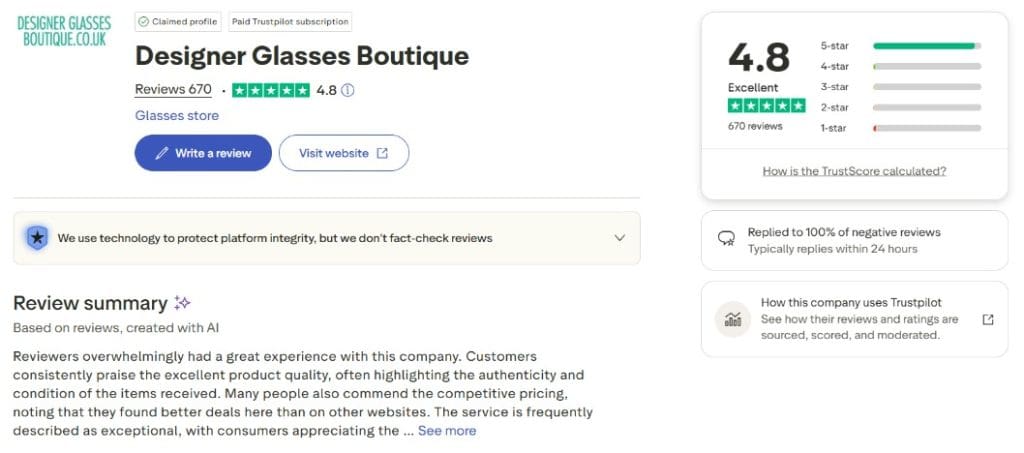
When it comes to building trust, real-life user experience and opinions are vital. As part of the shopping experience on chatbots, users will ask for recommendations and opinions. If you don’t have these recommendations available, then your business is less likely to show up.
There are lots of ways to collect reviews and user experiences.
Conclusion
As the use of chatbots like ChatGPT, Gemini and Claude become more integrated into the online shopping experience, it’s important that e-commerce businesses stay ahead of the game. Appropriate optimisation now can help you show up in current chatbot conversations but also prepare you for the future.
Whilst many traditional SEO techniques will work for this AI search world, consider particularly focusing on trust-building, product feed optimisation, and broad visibility across the web.