

There are plenty of SEO tools out there to help you get the most out of your website. And while many of the best require a subscription or one-off payment, there are lots of excellent free SEO tools available that are perfect if you’re on a tight budget or are just starting out and getting to grips with everything.
Take a look at my pick of 11 of the best free SEO tools to help you on your way to top search engine rankings and a fantastic user experience.
1. Google Search Console

Google Search Console is great for both SEO beginners and those who are more experienced. It provides lots of useful information to help you identify errors on your site, work on search results, and improve user experience.
If you’re brand new to SEO, get to know Google Search Console before you jump into Google Analytics (GA4). Some of the information provided is the same, but Search Console is less overwhelming and more straightforward to use.
Top uses for Google Search Console
- See which search phrases your site ranks for, and whereabouts they show in the Search Engine Results Pages (SERPs)
- Keyword research
- Suggestions for user experience improvement through reports such as Core web vitals.
- Check backlinks
- Upload sitemaps
2. Microsoft Bing Webmaster Tools
Always remember that SEO isn’t all about Google. Microsoft Bing plays a big part in directing traffic to your site too, and the search engine has its own useful set of tools to help optimise your content.
While much of the SEO work you do for Google will be relevant for Bing, the search giants each have their own priorities and areas of focus. By learning a bit about each, you can identify which might be more useful to your business, optimise your site for both, and see positive results whichever search engine your users prefer.
Top uses for Microsoft Bing Webmaster Tools
- Identify areas to improve on your site
- Analyse SEO on your site and check it follows best practices
- See how users find your site
- Take a look at competitors’ backlink profiles to identify gaps in your own
3. Google Analytics (GA4)
Google Analytics can be daunting at first sight because it holds so much information. But that’s also the reason that you should be using it. Much of the data you’ll find on other SEO tools on this page comes – directly or indirectly – from Analytics, and with some patience and learning, this is a really powerful tool that can take your site to the heights of search engine optimisation!
Top uses for Google Analytics
- In-depth user demographics
- See how visitors use your site and identify popular pages, high bounce rates, and potential page issues
- See where your traffic comes from, including referral sites, search traffic, and social traffic
- View customer journeys
4. Yoast SEO

If you have a WordPress website, then Yoast SEO is one of the best plugins for your site. It provides a good amount of useful information and functionality to help you optimise your website. It’s easy to use and does a lot of the more technical SEO for you.
Top uses for Yoast SEO
- Analyse your content to make sure it’s SEO optimised
- Automatically add structured data
- Easily add SEO-optimised meta titles and meta descriptions
5. Answer The Public
By knowing the kinds of questions people are asking around your niche, you can help provide valuable content and insight, therefore drawing relevant users to your website. Answer the Public is the perfect free SEO tool for this: type in a word or two that’s relevant to your business and then see what comes up. You’ll be provided with a whole host of content ideas in the form of questions, related searches, and searches by preposition.
The free tool is quite limited, allowing only three searches today, so use it well.
Top uses for Answer The Public
- Find new content ideas
- Update your current website content to include relevant search phrases
- Answer popular questions through FAQs and other content
6. SEMrush Sensor
To track how well your SEO is working, you should be keeping an eye on the Search Engine Results Pages (SERPs) to see where your website is appearing and whether its position is improving, worsening, or staying much the same. If you’re already doing this, you might notice that sometimes your position jumps all over the place. This can be completely normal, but can be frustrating if you don’t know why. SEMrush Sensor helps by reporting on Google’s daily volatility – a measure of how much the SERPs are moving about – so you can check whether there have been any significant changes to rankings within your industry.
Top uses for SEMrush Sensor
- Filter Google volatility by industry to identify how your site may have been affected by changes
- Identify any possible updates to the Google algorithm so that you can make changes to your site as necessary
7. Screaming Frog SEO Spider
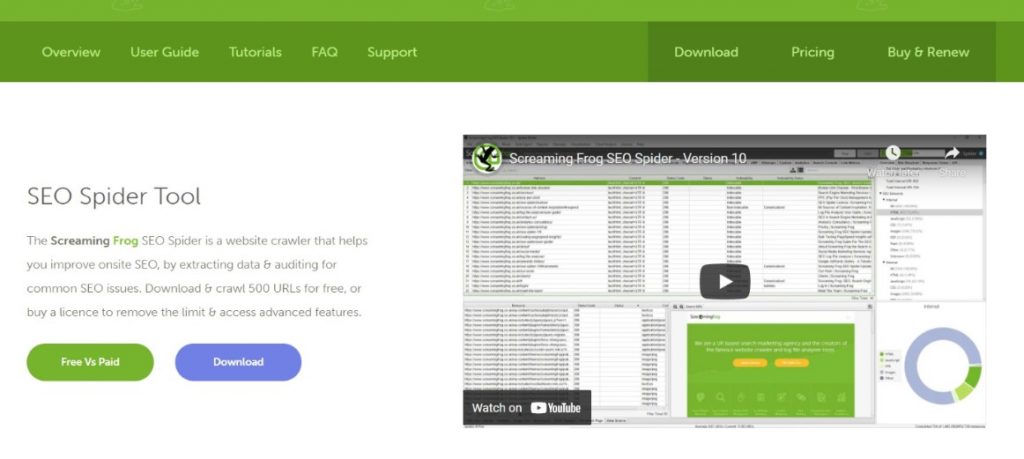
Screaming Frog SEO Spider is a desktop app that’s perfect for your site’s technical SEO. You can insert up to 500 links on the free plan and identify a range of (usually) easy-to-fix technical SEO issues on your site. While the paid plan offers a more comprehensive audit, the free version of the tool is perfect for beginners, as it highlights problems that you can probably fix yourself, rather than needing a developer or extensive knowledge.
Top uses for Screaming Frog SEO Spider
- Find broken links and redirects
- Analyse page titles and meta data to help improve SEO
- Find and update duplicate content
8. Keyword.io
There are plenty of keyword research tools to help you rank on Google, but what about other sites like Amazon, YouTube and eBay? If you’re aiming to rank well on any of these sites (and more), then you may want to delve deeper into keywords used specifically on these platforms. Keyword.io allows you to do just that.
Top uses for Keyword.io
- Find longtail keywords on specific search platforms other than Google
- Identify additional search terms to target
- Discover related topics for content inspiration
9. SEOptimer
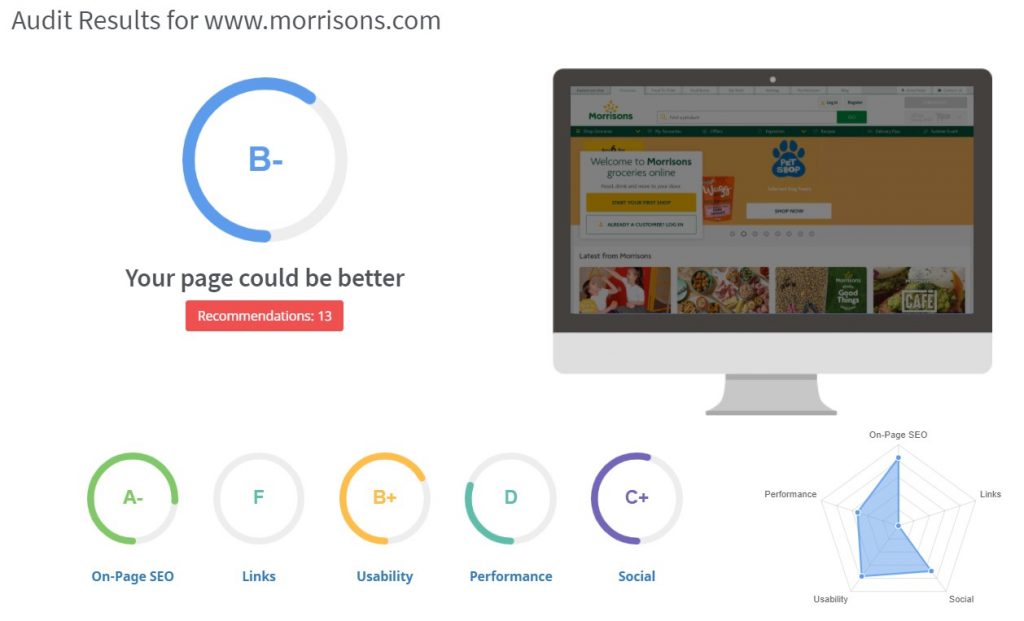
The clean layout of SEOptimer gives you a brief overview of your site’s SEO performance and then helps you identify some areas for improvement. If you’re quite visual and are looking for something that’s helpful but not too complicated, then this could be the tool for you.
Top uses for SEOptimer
- Identify general areas for SEO and user experience improvement
- Receive suggestions for updates and changes, based on a system of priority
10. TinyJPG
To improve user experience and reduce website loading times, it’s very important that the images on your website are optimised. Before uploading anything to your website, upload them to TinyJPG, which will compress them while retaining the quality. You can then add the much lighter files to your website.
Top uses for TinyJPG
- Reduce the weight of images
- Avoid the need for additional image optimisation plugins on your website
- Improve user experience of your website
11. ChatGPT
AI chatbots like ChatGPT can be a boon for businesses who need help with SEO. To get the best results, be specific with your prompts, and make sure you know exactly what you’re looking for. Remember that content generated by ChatGPT and others like it is best used as prompts and guidelines rather than as finished pieces.
Top uses for ChatGPT
- Content ideas and inspiration
- Outlines for pages and blogs
- Create meta tags and descriptions for a list of pages
Conclusion
There are plenty of free tools out there to get you started with SEO. While many will have more advanced paid subscriptions, the free functionalities on offer are often enough when you’re starting out. There’s no single best free SEO tool but several can work well together to give you a comprehensive beginner’s toolbox covering analysis, link building, content research, and more.