

1. Research Some Keywords

Before you get started on anything else, you need to know what your ideal audience is looking for. You may think you know this already, but some research could surprise you.
There are plenty of paid tools out there for researching keywords, but there are a good number of free routes you can take too.
First, come up with a few phrases that relate to your business. It could be such things as make your own candles or cinnamon flavoured candles. Use these as starting points for keyword research on the following free platforms.
Keyword Research on Google and Other Search Engines
The best place to start for free keyword research is on Google itself. Type in a phrase relevant to your business, hit search, and see what results come up. Look through the content in the AI summary and the top search results (ignoring the ads if there are any) and pick out the kind of phrases they use in their content, plus the kind of information they cover on their page.
You can also look at related searches in the middle and at the bottom of the page in the People also ask and People also search for sections. Altogether, these will give you a good idea of possible keywords.
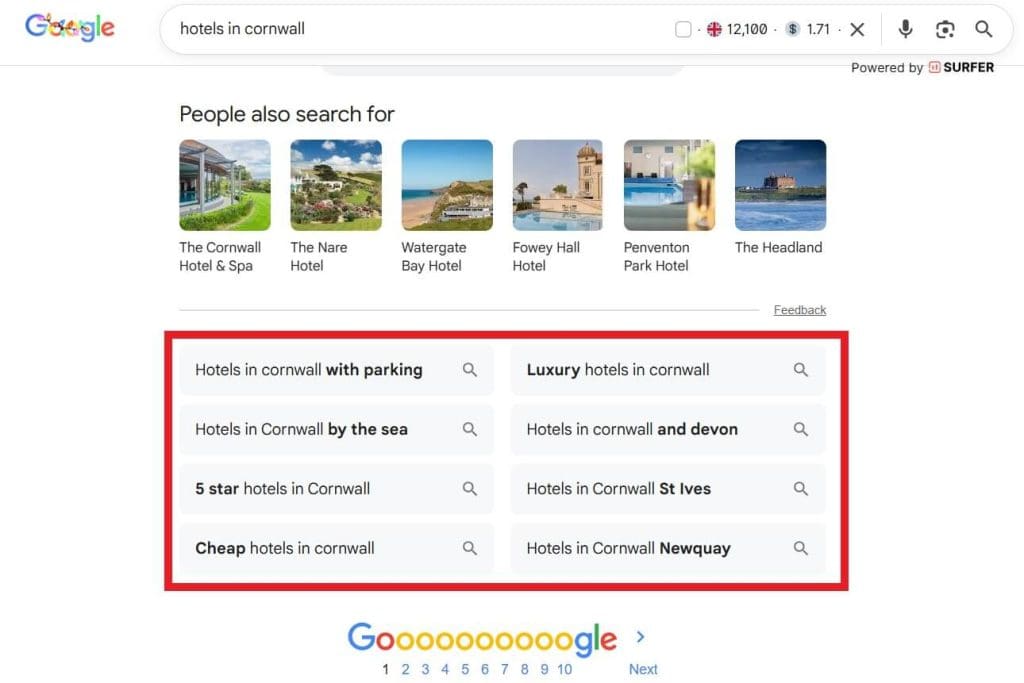
You can run similar research on other search engines such as Bing in order to cover more ground.
Also Asked and Answer the Public
When you enter your starting phrases to Also Asked and Answer the Public, they’ll provide a selection of questions that people are searching around your topic. You can use these to create FAQs, pick out the kinds of questions people are asking, and make sure your website provides the information they want.
These platforms are free for a limited number of searches per day, or you can upgrade to a paid subscription.
Google Ads and Microsoft Advertising Keyword Planners
Both Google Ads and Microsoft Advertising offer useful keyword planning tools. While these are primarily aimed at helping you target paid adverts, they’re just as useful for planning organic content on your website. You will need accounts in order to access these, but they’re free to create and you don’t actually have to spend any money in order to use the tools.
AI Chatbots
AI Chatbots such as Claude and Chat GPT can help with your keyword research when you ask them to provide similar and related search phrases based on your initial phrases. Provide as much information as possible – such as your target audience, what your business does, and your goals – to help obtain more relevant results.
Read more on how to use AI for keyword research.
2. Create a Website Structure
Website structure determines how a user finds their way around your site. A good structure means they will more easily find what they need.
If you have a fairly small website with only a handful of pages, website structure will be quite easy. You will likely simply have all your pages on one small menu.
However, if you have more pages than can reasonably fit on one menu, or you have a complex site such as for an e-commerce business, it will take longer to get your website structure right. But the time spent is well worth it in exchange for a better user experience and improved SEO results.
To create a good structure, you need to find a balance between making it easy for users to find what they want, and not crowding your page with too many links and menus. Create a list of all the pages you need on your website, and group them in a way that makes sense for your business and its users. For example, if you have an online shop, you could sub-categorise pages into types of product.
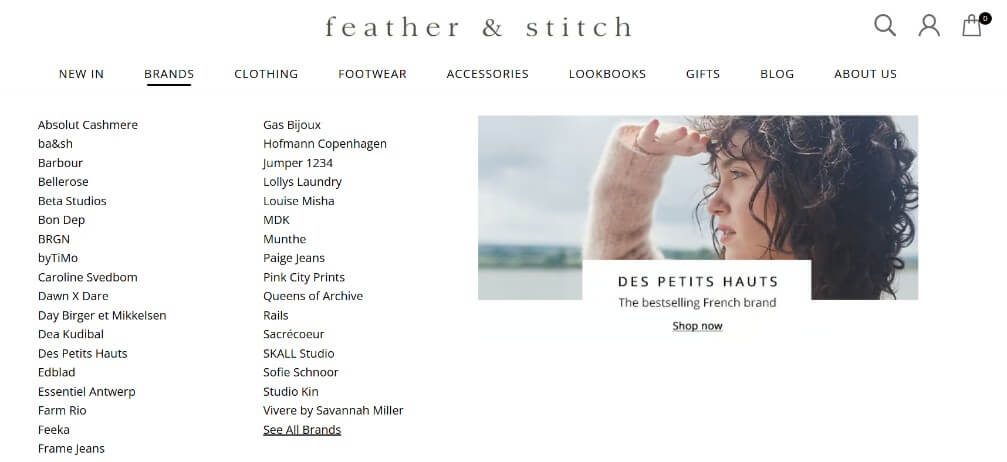
Once you’ve grouped your content, pick the most important pages: you’ll display these on the main menu at the top of the page. Use sub-menus and links within your content to help users get to other related pages as they need to.
Orphan Pages
It’s also important to make sure that you don’t have any orphan pages. These are pages on your site that don’t have any direct links to them. It means that Google’s bots can’t crawl (find) your page. If they can’t crawl it, it won’t show up in search results and so users won’t find that page either. You could have lots of valuable content there that is as good as invisible.
3. Write Suitable Copy

Once you’ve completed your keyword research and decided on a site structure, you can start creating content (known as copy) for each page. In general, each page should have a minimum of 350 words (250 for product pages) and be as long as appropriate. If a page is getting excessively long, consider splitting into sub-pages and linking them to one another.
Make sure you incorporate your keyword research where relevant. You don’t have to use every exact keyword, but use your previous research as a guide. For example, don’t try and squeeze in the phrase buy vanilla scented candles near me, but instead use the page to mention vanilla scented candles and the location of your store.
Your keyword research should have also helped you identify the type of questions searchers ask about your products. For example, they may be interested in knowing what your candles are made of, or how they’re made. You can use this knowledge to inform your copy and provide users with additional information that moves them towards a purchase.
4. Use Headings
Headings help break up your page to make it more readable and scannable.
The main title of your page should be a Heading 1 (H1), and it should be the only H1 on that page. You can use lower-level headings like Heading 2 (H2) and Heading 3 (H3) to break down content further.
There are six levels of heading tags but, generally, if you go below H3, you may need to rethink the structure of your page and find a neater way of putting it together. H1, H2 and H3 are really the only headings that have an impact on SEO.
Try to include some of your keywords in the headings where it makes sense.
5. Optimise Images
Images create more interest on your page and can help break up chunks of text. Before you even add them to your site, though, you should resize them so they’re not too large or heavy. Big images will considerably slow down your website, which creates a poor user experience.
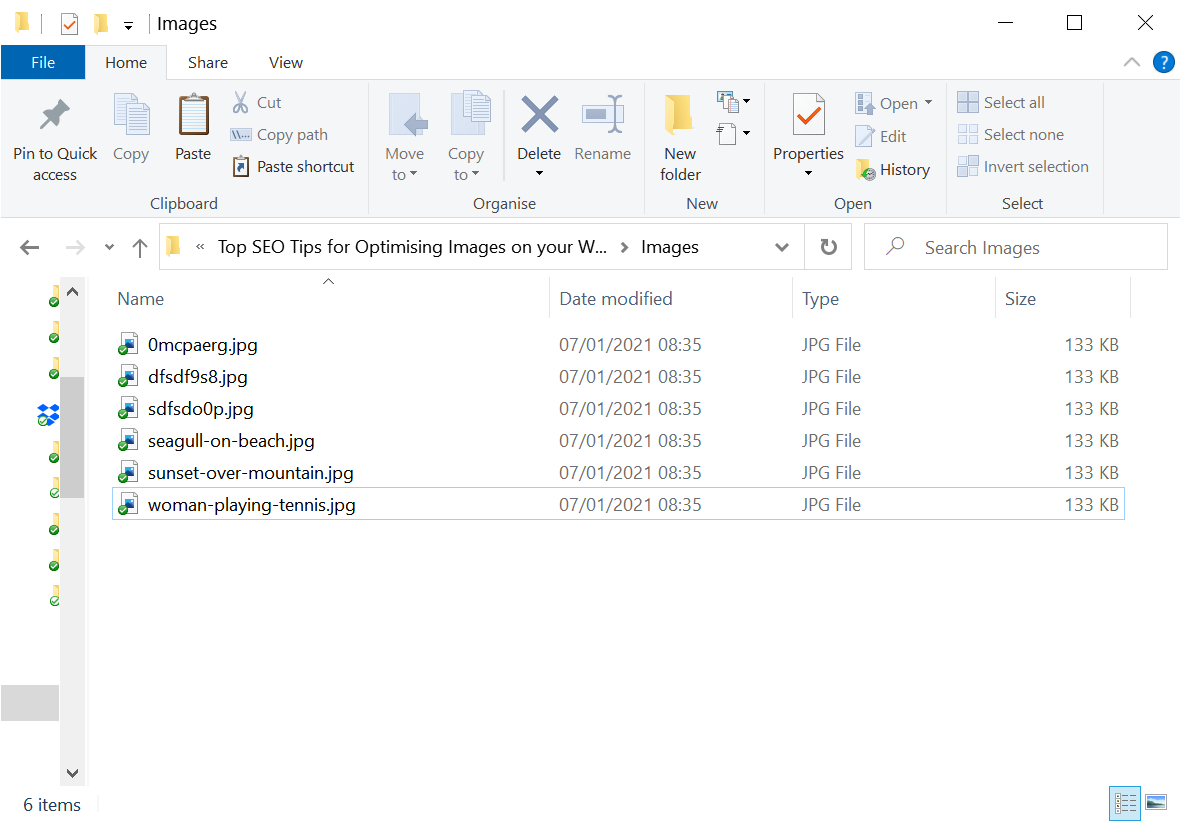
You should also choose a filename for your image that describes it in 3-5 words separated by hyphens. And, once uploaded, describe the image further with the alt tag. Ideally, both the alt tag and filename should include a keyword, but only if it accurately describes what’s in the image. Don’t add a keyword that has no relation to the image.
Read more about optimising images on your website.
6. Add an SEO Title
The SEO Title of a page isn’t shown on the page itself, but provides important information to search engines within the code of a website. SEO Titles are also often used to display titles in search results, and can impact your ranking and performance.
Most common website builders make it quite easy to add this information to your site, either directly or via extensions and plugins like Yoast. All you need to do is create good text for it.
The SEO Title is often the title of your page, but doesn’t have to be. It generally needs to be 60 characters or less. It should be engaging, capture attention, and encourage searchers to click through to your website, so there’s a lot riding on a small word count.
Remember to include your primary keyword in your SEO Title if it makes sense to do so.
7. Add Contact Details

While it may seem obvious, a lot of sites fail to include this information. While that’s frustrating to customers who want to get in touch, it can also negatively affect your SEO. Contact details help verify your website as belonging to a bona fide business. You can include them either on a dedicated page or in the footer of your site and you should include:
- Business name
- Business address
- Telephone number
- Email address
8. Link to Your Social Sites
Though your social media presence doesn’t directly affect SEO, it can work well with good SEO practices to boost traffic and send positive signals to Google. Adding social media links on your website informs search engines that they (and their content) are related to your site. Such links also encourage users to follow your socials, helping you build your audience.
9. Add an XML Sitemap
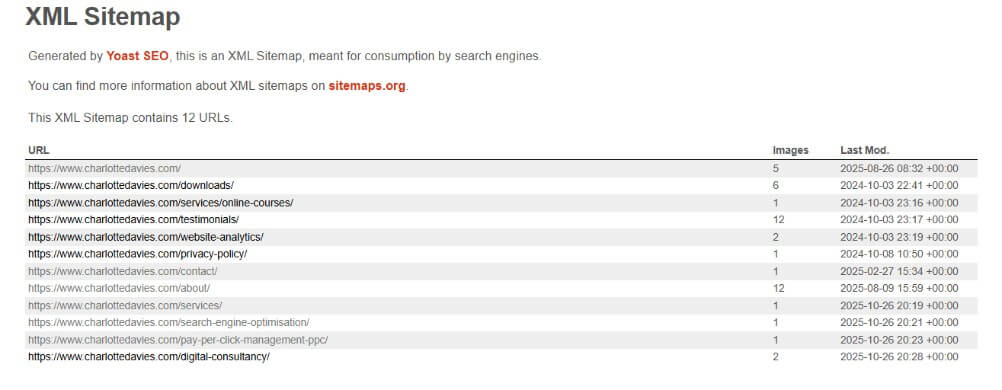
An XML sitemap is a breakdown of the structure of your website. It lists all your pages and media items and shows search engines how each element of your site is connected. WordPress plugins such as Yoast will automatically generate a sitemap for you, and other common website builders such as Wix will also create one for you. Sitemaps can often be found at links that look like this:
- yourwebsite.com/sitemap.xml
- yourwebsite.com/sitemap_index.xml
- yourwebsite.com/sitemap1.xml
If your website builder doesn’t automatically build a site map, you can use a service such as XML-sitemaps.com to generate one.
Once you have a sitemap, you should upload it to Google Search Console (with a free account) to make sure Google knows it exists.
10. Install Google Analytics
Even if you don’t understand or use Google Analytics (GA4), it’s important to have it connected to your site. The free software tracks information such as website traffic and user behaviour and can be extremely useful for growing your business. If you don’t use it now, you may do so in the future and installing it straight away means that you will have helpful historic data to analyse.
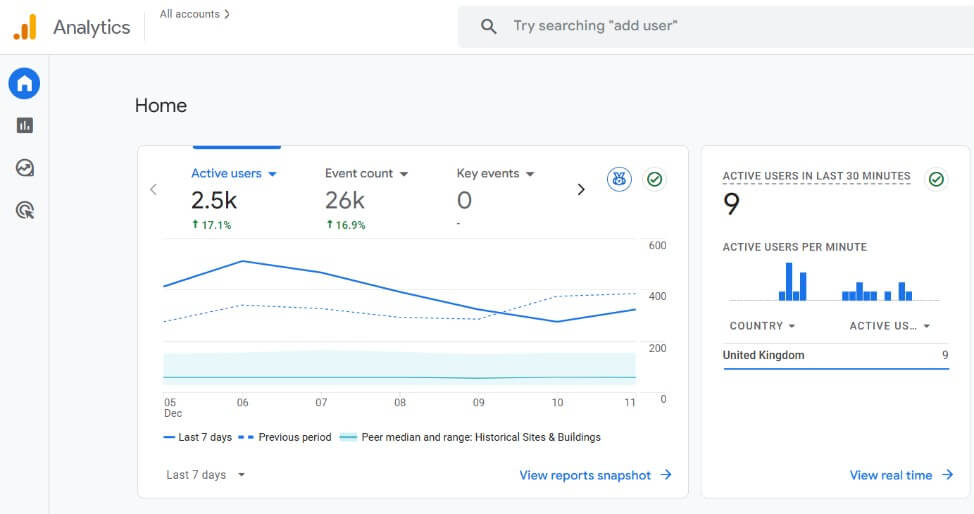
You will first need to create a Google Analytics account, which is free. Then follow the instructions for creating and connecting Analytics to your website. WordPress’s Yoast plugin (or similar) and website builders generally make this easy for you, simply requiring you to enter a unique ID number instead of complicated code.
If your website builder doesn’t have this simple option, you may need to get the help of a developer or someone tech-savvy to install the code for you.
Read my guide to setting up Google Analytics.
11. Start Collecting Reviews
Collecting positive reviews helps build user trust and a good reputation. You can use Google Business Manager, Facebook, LinkedIn, TripAdvisor, or any number of other sites and then display them on your website through the use of a plugin or widget. Google and other search engines can recognise the value of good reviews and boost your ranking as a result.

Conclusion
Even as an absolute beginner to SEO, there are lots of easy steps you can take to help your website appear in search and AI results. Whether you follow all of these steps or just pick a few to focus on, you’ll soon be on your way to SEO success.