

It’s been nearly 10 years since the laws around GDPR changed to ensure websites only tracked user cookies after receiving content. Yet I still regularly see sites that aren’t properly compliant. If you own one of those and are operating in the UK, you are breaking the law and could face heavy fines.
In this guide, we’ll look at the basics of GDPR, when it applies to your website, and how to make sure you are properly compliant.
What this guide covers
- The basics of GDPR
- What cookies and cookie consent banners are
- When you need to use a cookie consent banner
- How to install a basic and compliant cookie banner
- Policies and information you need to include on your website
What this guide doesn’t include
- A broader look at GDPR and data management
- ICO requirements
- Your legal requirements beyond cookie tracking
- A set–by-step walkthrough for setting up analytics cookie tracking
What are GDPR, Cookies, and Cookie Consent Banners?
GDPR
GDPR stands for General Data Protection Regulation. You will have no doubt heard of it and may think you know what it means and involves. But keep reading, because I may have some surprises in store for you.
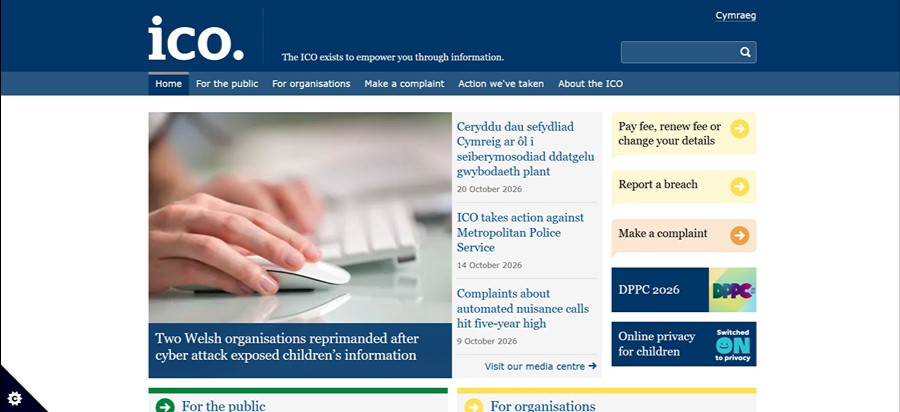
It is a legal requirement to comply with GDPR, and this includes ensuring you have consent to collect and store a user’s data (including what they do while on your website), that you store any data securely, and that you use the data fairly and responsibly. Once you’ve finished reading this guide, take a look at the Information Commission Officer’s (ICO’s) website for lots of additional guidance.
Cookies
Cookies are small files that hold data about users on the internet. They are generated at the user’s end and stored on the user’s browser. When that user is on a website, the website can read (or track) the cookies to see what they are doing whilst browsing.
Cookies can be used in all sorts of ways, including:
- Remembering items in a cart on an e-commerce site: If the customer starts a shop and then comes back later, cookies allow the site to keep a record of items in the cart so the user doesn’t have to start again.
- Remembering logged in users: Without cookies, users would have to log in every time they navigated to a different page on the website. For some sites, this would make it impossible to function correctly, so these cookies help the website provide a relevant service.
- Understanding user behaviour across multiple visits: Knowing how users interact with a website is key to SEO, and cookies help marketers and business owners do this. Cookies can store information about customers to see what pages they land on, how long they stay on those pages, when they have a repeat visit, and much more.
There are several types of website-relevant cookies. They may have slightly different names but provide the same function:
- Necessary cookies are required to allow basic features of the site. Without them, the site just won’t work.
- Functional cookies also allow certain features of the website to work, but are less essential than necessary cookies.
- Analytics cookies let you track and understand user behaviour in platforms such as Google Analytics.
- Advertising cookies let the website owner run personalised ads, either on the site or off. They are useful to website owners who are running ads campaigns via Google, Facebook, or others.
Cookie Consent Banners

A cookie consent banner lets a user choose whether or not that particular site can read the cookies on their browser. In general, a banner appears at the bottom or in the middle of a page. It should appear as soon as a person lands on a site for the first time and generally allow the user to allow all cookie tracking, deny all cookie tracking, or choose a mix of both depending on the type of cookie.
Depending on your site, the cookie banner may need to hold quite a bit of information, including details of the types of cookies (see above), a list of all the cookies tracked on the site and links to relevant policies.
When Does a Website Need to Request Cookie Consent?
If you don’t track cookies on your website, then you don’t need to request cookie consent.
However, the vast majority of websites will track cookies in one way or another, even if you don’t realise it. Even if you don’t run ads, or don’t have Google Analytics installed, you might be tracking cookies in many other ways. Some examples include:
- If you have a video embedded in your site, the platform it comes from is probably tracking cookies via your site.
- If your site is built on a platform like Wix, Weebly or Squarespace, those platforms are probably tracking cookies.
- If you have a social share button, that social site will track cookies unless told not to.
If in any doubt, it’s worthwhile installing a cookie banner, some of which will check the site for cookies for you. We’ll look at that a little later.
How Cookie Consent and Cookie Banners Work
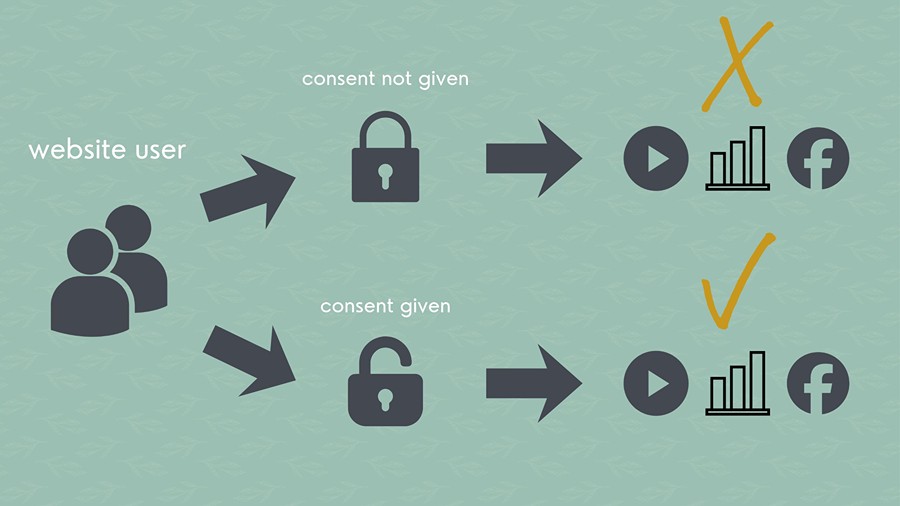
It helps to have at least a simple understanding of how the process of cookie tracking works when it’s correctly set up. Here’s a quick breakdown.
When a user lands on your site, they see a cookie banner. This may be at the bottom of the screen (where it’s easy to ignore) or in the middle of the page (where the user is forced to take action or else struggle to see content).
The cookie banner should include at least two actions: accept cookie or decline cookies. Some will have a third option that gives the user a more granular choice of which cookies they’re happy to be tracked.
Note that you have to ask and get permission to track cookies. Your banner shouldn’t just tell the users that they’re being tracked.
The user selects their option and a signal is sent to all the relevant platforms (e.g. your website builder, YouTube, Google, socials) to tell them whether or not cookies can be tracked.
If the user has consented, the site can read the cookies and collect relevant information (such as user behaviour). If not, then no systems should collect cookie information unless they are (genuinely) essential for site functionality and/or security.
If the user doesn’t select any options on the cookie banner, then you are also not allowed to track their cookies.
How to Install a Simple and Compliant Cookie Consent Banner
Find a Banner and Set up an Account
There are lots of options out there that will allow you to easily install a cookie banner on your website, though some are better than others. Look for a banner that is compliant with Google Consent Mode v2. Cookiebot and CookieYes are two popular examples, or you can browse Google’s full list of consent mode partners.
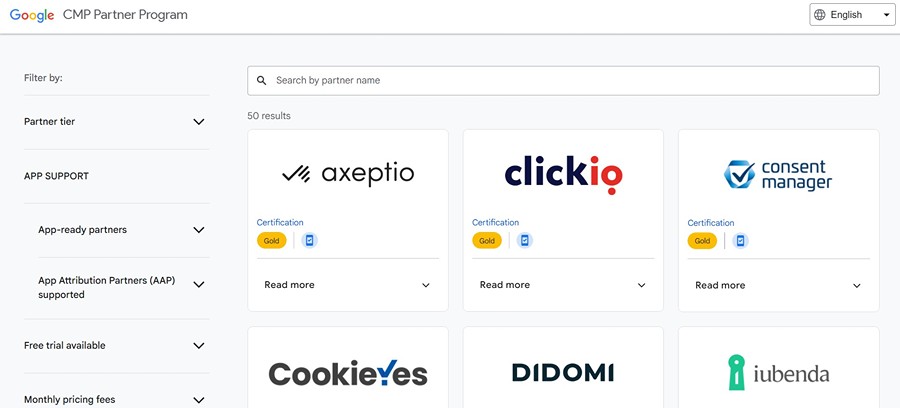
Many cookie banners can be installed for free if you have fewer than a certain number of pages or less than a certain amount of traffic each month. Otherwise, you will have to pay a monthly subscription. This may be frustrating as an extra cost, but remember that this is a legal requirement.
In most cases, you will need to create an account. Follow the instructions to do this with your chosen provider. Once set up, the software should run a scan of your website, which will analyse all the cookies being used and automatically add the relevant information to the banner.
Install a Cookie Banner
There are lots of ways to install a cookie banner. One of the easiest, and available if you’re on a WordPress website, is to install via a plugin. Others may require you to add code to the website (get help if you don’t know what you’re doing), and others can be added via Tag Manager (an advanced method, which I won’t cover here). Follow the instructions from your provider.
Your website will change in the future, so your banner will need to scan the site regularly to check for any updates to tracked cookies. Some subscriptions will do this automatically, while others will need the option turned on, or require you to manually run a scan. Check and make sure your site is regularly scanned and your banner updated.
For the majority of cases, this is all you need to do. The cookie banner will manage the “conversation” with third parties so that cookies are tracked or not tracked as required. If you’re using Tag Manager for anything more than a very basic set up, you may need to take some more advanced steps. Speak to the person who set it up for you or get in touch to find out how I can help.
Check Your Analytics

If you’re already tracking user behaviour on a site like Google Analytics (GA4), you may find that your traffic appears to drop significantly after installation of a cookie banner. Tracked traffic has been known to drop by as much as 80% following installation. The reason is that you’re now losing all the information about people who don’t want their information tracked. They’re still coming to your site, but your analytics system is no longer able to see them.
Whilst this is frustrating, it’s a necessary hit that you have to take in order to be legally compliant. Whenever you’re reporting on it, keep this in mind and explain to any stakeholders the reason behind the change. General behaviour patterns (e.g seasonal traffic peaks) will usually remain the same.
Conclusion
Despite nearly a decade of GDPR, many UK-based websites are still tracking cookies without consent, and therefore breaking the law. A compliant cookie banner allows users to choose whether or not cookies are tracked and tells third party tools to follow consent signals.
Though it will affect your performance graphs in analytics tools, and have a small cost implication, installing a compliant cookie banner is fairly straightforward for most sites and should be done as soon as possible to avoid significant fines.